Fri3d Friends: A Friend Finder and Contact Swap for the Fri3d Badge
A few weeks ago I vibecoded my first Fri3d Camp 2026 badge app , a hardware self-test screen. It was a great first project: it touched every part of the badge, and it was genuinely useful. But it was also a toy. It used the badge as a single device on my desk.
The Fri3d badge has a property I wanted to use: roughly 700 people carry the same little computer at the same time, each with a screen, buttons, a battery, and a Bluetooth radio. One badge on a desk is a gadget. Seven hundred of them in a field is a network. So the next app had to do something with that.
I built !Fri3d Friends, a name tag that knows when your people are nearby, and lets you swap contact details by pressing a button on two badges at once. What started as another afternoon of vibecoding turned into a real, versioned, redistributable app, currently at v0.9, with 118 tests passing and a camp-wide game mode on the drawing board. This is the story of how it grew up.
What it does#
Three things, all on one screen:
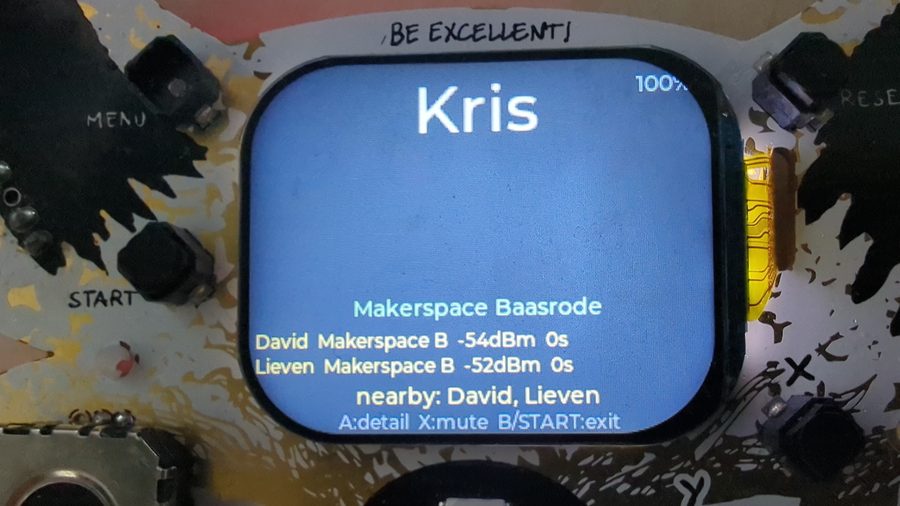
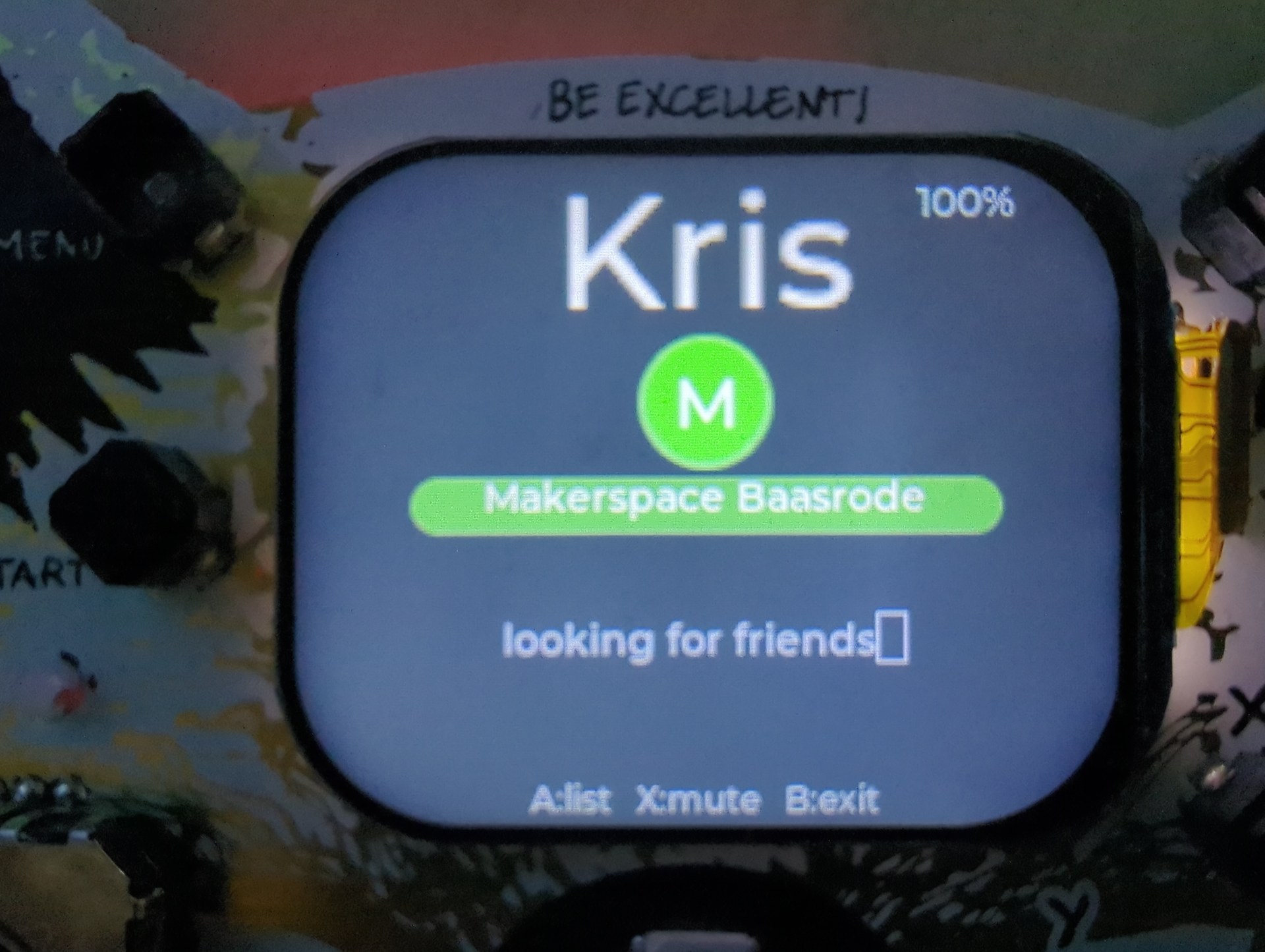
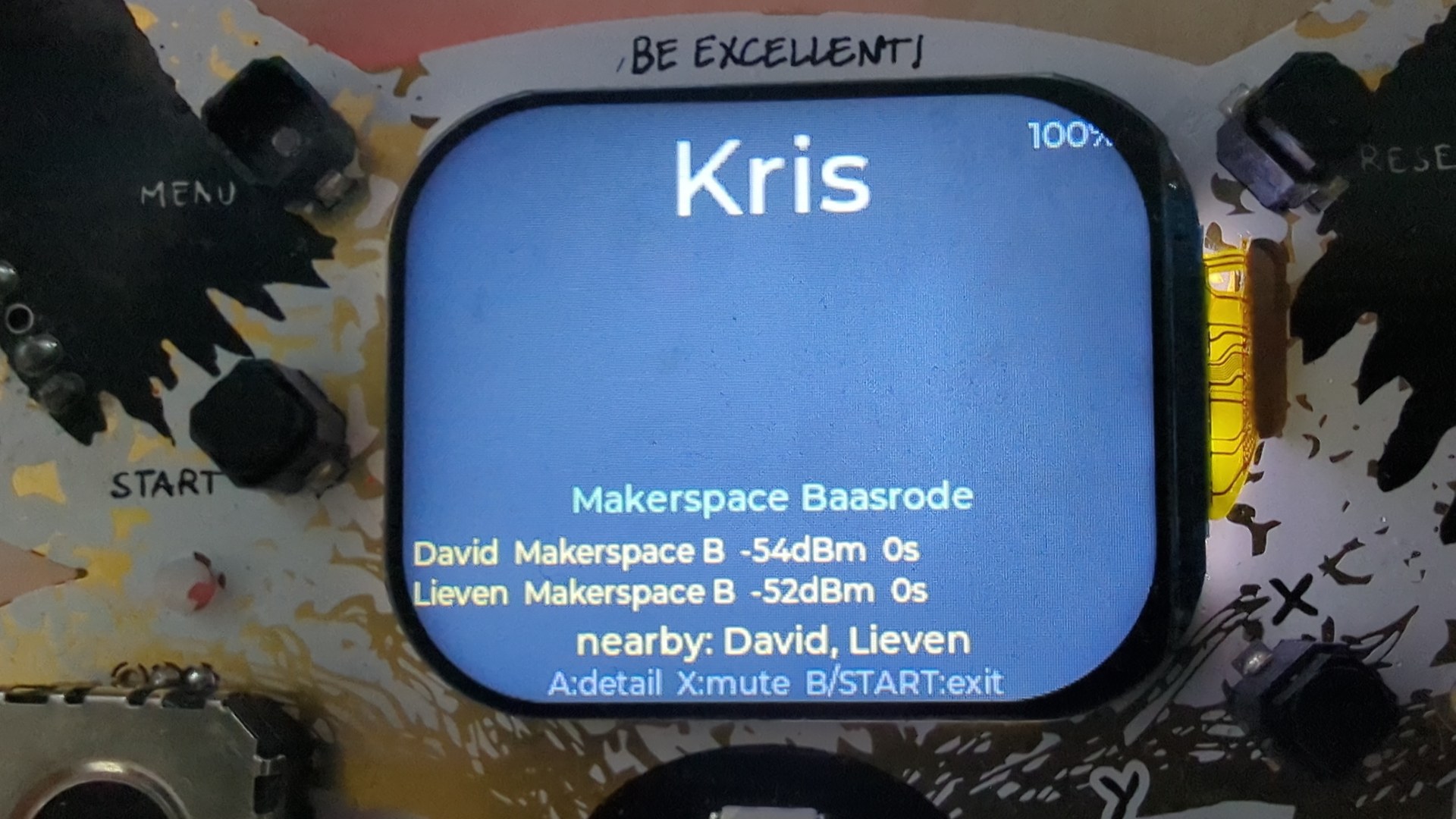
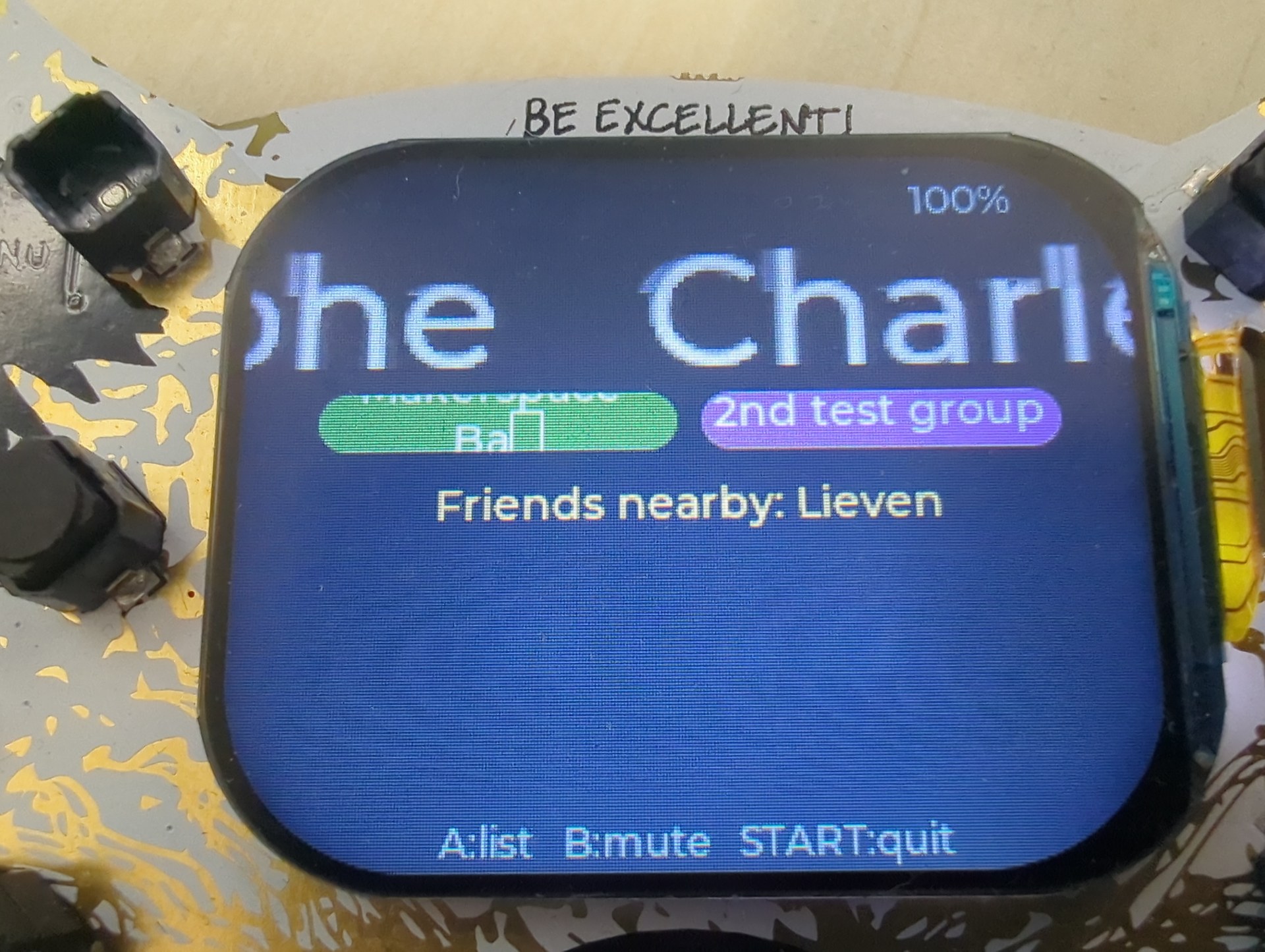
- An animated name tag. Your name, big (it scrolls if it’s too long). Your group or groups as coloured pills, the colour is unique to each group, so you can spot your people across a room. A live clock in the corner and a battery percentage.
- A proximity finder. Over Bluetooth Low Energy, the badge notices other badges running the app that share at least one group with you, and alerts you when one comes into range: someone from your groups is nearby.
- A contact swap. Press Y on two badges within a few seconds of each other, and they exchange contact details over a short Bluetooth connection, name, groups, and whatever fields you choose to share (email, phone, website, Discord, anything). What you receive is stored on the badge with a timestamp.
It runs on both the 2024 and 2026 Fri3d badges, both are ESP32-based and both run MicroPythonOS, Tom Boontjes’ Android-inspired operating system that lets you install apps from a community store instead of flashing firmware. And it’s generic: any hackerspace or makerspace can flash it, set their own group name in one file, and it finds their people. I built it for Makerspace Baasrode, but it isn’t ours.
Finding your people#
The friend finder is the part I cared about most. Each badge broadcasts a small Bluetooth beacon, a chunk of manufacturer data containing a magic marker, a version byte, the badge’s group IDs, and its name. Every other badge scans for these. If two badges share at least one group ID, they count each other as friends; when one comes into range, you get a buzz and a colour flash, once per encounter.
Group IDs are a short hash of the group name, so two badges only need to agree on the spelling of a group to match, no central server, no registration. Each group also gets a deterministic colour and buzzer tone derived from that same hash, with a rule that picks the lowest shared ID, so the two badges always agree on which colour to flash.
The single most useful thing I learned here was a quiet landmine in the BLE scan configuration. Call the scan with default arguments and the radio’s duplicate filter switches on, each nearby badge gets reported about once and then goes quiet, so presence flaps on and off as peers age out. I measured it: the default scan heard 2 beacons in 12 seconds. Pass an explicit scan interval and window (a 50% duty cycle) and the duplicate filter turns off, 44 beacons in 12 seconds, with peers never more than a second old. That one setting was the difference between “it sort of works” and “it works.”
Swapping contacts with a button#
The contact swap is the part that surprised people. There’s no pairing, no QR dance, no shared clock. You press Y, and for five seconds your badge advertises a connectable beacon and listens for anyone else doing the same. If two badges overlap, they need a way to decide who calls whom. So they compare Bluetooth addresses, and the lower address becomes the server, the higher one connects. Both sides compute the same answer, so exactly one connection opens. In that one connection they exchange everything both ways, then disconnect.
What you send is your name, your groups, and any free-form fields you’ve filled in. What you receive is appended to a list on the badge, one entry per swap, swapping the same person twice just gives you two snapshots, which is fine. I capped each contact at 500 bytes so the whole exchange rides in a single Bluetooth operation, and the file is written through a temp file and an atomic rename, so pulling the battery mid-swap can’t corrupt it.
One small detail I’m fond of: your groups are always included in what you send, even though they’re not really “contact info.” That’s what lets a brand-new badge join a group just by swapping with someone in it, more on that below.
Setting it up without a keyboard (or Wi-Fi)#
Typing an email address with a badge joystick is miserable, so the app has always had a setup page you open from a phone. The first version was a Wi-Fi web portal: the badge started an access point, you connected to it, and loaded a web form.
It didn’t survive contact with the actual camp. At Fri3d, the badges join a different network from everyone’s phones, so a web page you reach by IP address was simply unreachable in practice. So in v0.8 I ripped the Wi-Fi portal out and replaced it with Web Bluetooth, a static web page (hosted on GitHub Pages) that opens a GATT connection straight to the badge. No network at all. The phone talks Bluetooth, nothing else.
The flow is nice: the badge shows a QR code; you scan it and tap Connect, and the page filters to exactly your badge; the badge then shows a random four-digit code, and you type it in. That’s the same trust model as Bluetooth pairing itself, proving you can physically see the screen. Five wrong guesses and it locks for a minute and rolls a new code. The one snag is that iOS Safari doesn’t implement Web Bluetooth, so on an iPhone you install the free Bluefy browser, and the same page works there unchanged.
Working out of the box#
Here’s the requirement that shaped the most recent work. Most of the audience at Fri3d is kids, and a lot of them don’t have a phone with a data plan. If the only way to make the app do anything is to load a web page from the internet, then for those kids the app does nothing. The badges they’re handed have to be useful the moment they’re unboxed.
So in v0.9 I made a fresh badge configure itself. Out of the box, with no setup at all, it picks itself a name, something like Otter 42, an animal and a number derived from the chip’s own unique ID. It’s deterministic, so it’s stable across reboots without ever writing to flash, and it survives having its config wiped. Then it drops straight onto a working name tag and starts broadcasting, so its owner can be found even before they’ve configured anything.
The one thing I deliberately did not automate was the group. A shared default group would make every fresh badge match every other fresh badge, and the arrival buzzer would become camp-wide noise. Groups are never assigned for you. Instead you join one by swapping with someone who’s already in it, the receiver gets a prompt offering to copy the sender’s groups, one button press for the common case. Copying is the most reliable way in, because names are matched exactly and a typo just means you silently never match anyone.
The bugs that bit#
I’ll be straight: most of the versions were bugs. The app runs on one ESP32 with one Bluetooth radio, and MicroPython’s BLE stack gives you one service-registration call per boot. That single constraint is behind an unreasonable number of the things that went wrong.
The swap that worked once. Contact swap worked exactly once after power-on, then every later attempt failed silently until I rebooted. The cause took a while to find. When you pause the app, it tidies up by switching the Bluetooth radio off. And switching it off wipes the entire GATT service table out of memory. My code still held the old service handles, assumed they were valid, and reused them. A read against a dead handle spuriously succeeded on this firmware; a write threw an error that I’d swallowed. The fix was to stop trusting the cache: probe a handle with a write before using it, and if it’s dead, re-register the whole service. (Re-registering is only allowed after you’ve cycled the radio off and on, which pausing had conveniently just done.)
Garbled contacts over the phone. The phone setup page occasionally returned contacts that wouldn’t parse as JSON. The contacts list is paged, and I was writing each page on the async event loop. But the phone could read the characteristic in the gap between the radio acknowledging the write and the loop actually updating the value, so it read the previous page. Stitch the pages back together and the bytes were misaligned. The fix was to stop being clever: serve the page synchronously, inside the Bluetooth interrupt handler, so the value is guaranteed fresh before anything reads it. (My automated test missed this entirely, because Python’s round-trip latency hid the race. It only showed up with a real browser.)
The translation that broke the interface. Fri3d is a Dutch-language event, so I translated every string the player sees into Dutch. And half the accents turned into missing-glyph boxes. The UI renders in lvgl’s built-in fonts, which on this build carry ASCII only; an ë or é renders as a box, with no warning at build time. I found this before writing any copy, luckily, so the rule is simple: interface text is pure ASCII, and in Dutch that costs you nothing. You write een, not één. Names are the exception. The big name label uses a bundled Latin-1 font, so Zoë and Renée render correctly, and you must never strip the accents out of a name.
There were others, a splash screen I “cleaned up” by deleting it mid-animation, which hard-crashed the badge on the next tick; a setup window that counted down even while you were actively using it and cut off a long contact transfer mid-flight. Each one was the same shape: a thing that worked on my desk and then didn’t, in front of real hardware. The badge is a brutally honest feedback loop, and that’s the best thing about building for it.
The icon#
A small detour. I wanted an icon that said “two badges, finding each other,” and I let the AI generate ten concepts to choose from, hearts with Wi-Fi signals, chat bubbles, network graphs, a radar, pixel people.
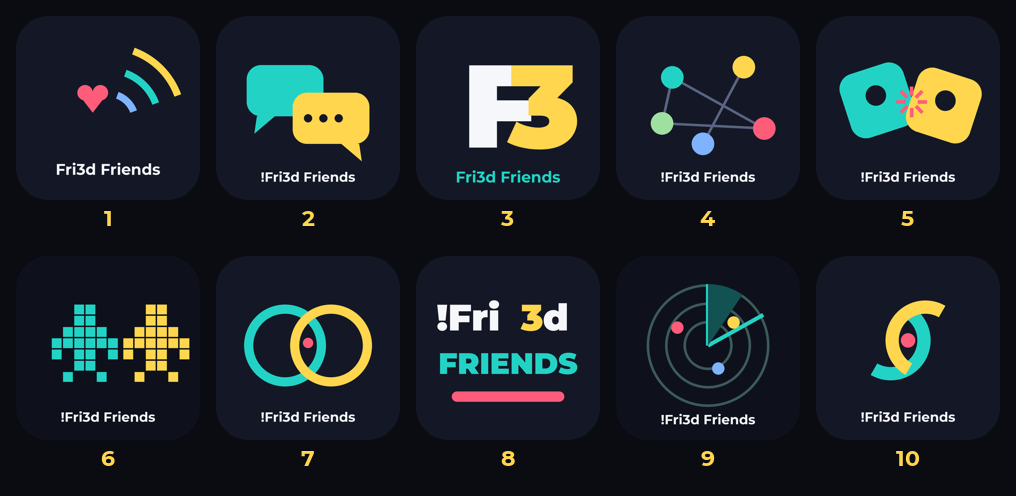
The one that stuck is the simplest: two rounded badge tiles overlapping, one teal and one yellow, leaning into each other.

What’s next: a camp-wide game of Gotcha#
The thing I’m building toward is Gotcha, a camp-wide game of Assassin played across the Fri3d field over the weekend (14–16 August 2026). Every enrolled player is assigned one target; you hunt them physically, using the badge as a Bluetooth signal-strength radar, and when you “kill” your target you inherit their target. Last one standing wins.
The part I’m proud of is how a kill is proven. Each badge generates 16 random bytes at the start of a life, call it the badge’s soul, and uploads only the SHA-256 hash of it. The secret itself is released only over a completed kill handshake, when two badges are metres apart. So holding the secret preimage is cryptographic proof that those two badges were physically close, and it’s verifiable with nothing but SHA-256, no keys distributed to 700 badges, no server needed at the moment of the kill. Target inheritance rides the same handshake: the victim hands over their soul and their target in one payload, so the chain continues even in a Wi-Fi dead spot.
The badges sync with a backend every five minutes, and I made a deliberate choice there: plain HTTP with HMAC-signed requests and responses, not HTTPS. The game needs authenticity, not secrecy, kill proofs are self-authenticating, scores are public, the hit list is published. On a hacker-camp network, certificate verification is likely off anyway, so TLS would have delivered encryption without the property that actually matters. Signing the responses too matters, or a man-in-the-middle could inject “truce is over” or a fake target. This one is still design-only, no Gotcha code exists yet, but the plan is done and reviewed.
Over to you#
The app is on BadgeHub and the source is on GitHub , MIT-licensed. If you’re coming to Fri3d, install it, set your group, and come find me. If you run a different makerspace, fork it, change one line, and it finds your people instead.
And if you haven’t written a badge app yet, go back and read how I did the first one . The bar is genuinely low, and the feedback loop is genuinely fast.
— David, Makerspace Baasrode
Resources#
- !Fri3d Friends on GitHub , full source, MIT-licensed
- BadgeHub , install it over the air from the badge’s AppStore
- Fri3d Camp 2026 badge documentation
- MicroPythonOS documentation , the OS both badges run
- I vibecoded my first Fri3d badge app , the prequel; start here if you’ve never written a badge app